Auto-rig
Generate a character and get a skeleton in the same pass
Humanoid and creature skeletons applied automatically — no manual bone placement, no weight painting, ready to pose or drop into a game engine.
how it works
From mesh to posable rig, automatically
1. Generate the character
From a text prompt or a reference photo — either generation mode produces a full mesh with UVs and texture.
2. bunpav applies a skeleton automatically
Humanoid and creature templates are matched to the mesh's proportions — no manual bone placement, no weight painting by hand.
3. Pose or test-animate it
A rigged character can be posed immediately. Check the weighting on joints, hands, and any extra limbs (tails, wings) before committing to hero use.
4. Export and retarget
FBX or GLB carry the skeleton and skinning into Unity's Humanoid Avatar system or Unreal's Skeleton/IK Retargeter, so existing animations can drive the new rig.
character inputs
Character forms the auto-rigging workflow is built to handle
The auto-rigging workflow is in private beta. These current Primitive Lab captures show real bunpav character meshes and the silhouette checks that happen before skeleton assignment and animation testing.
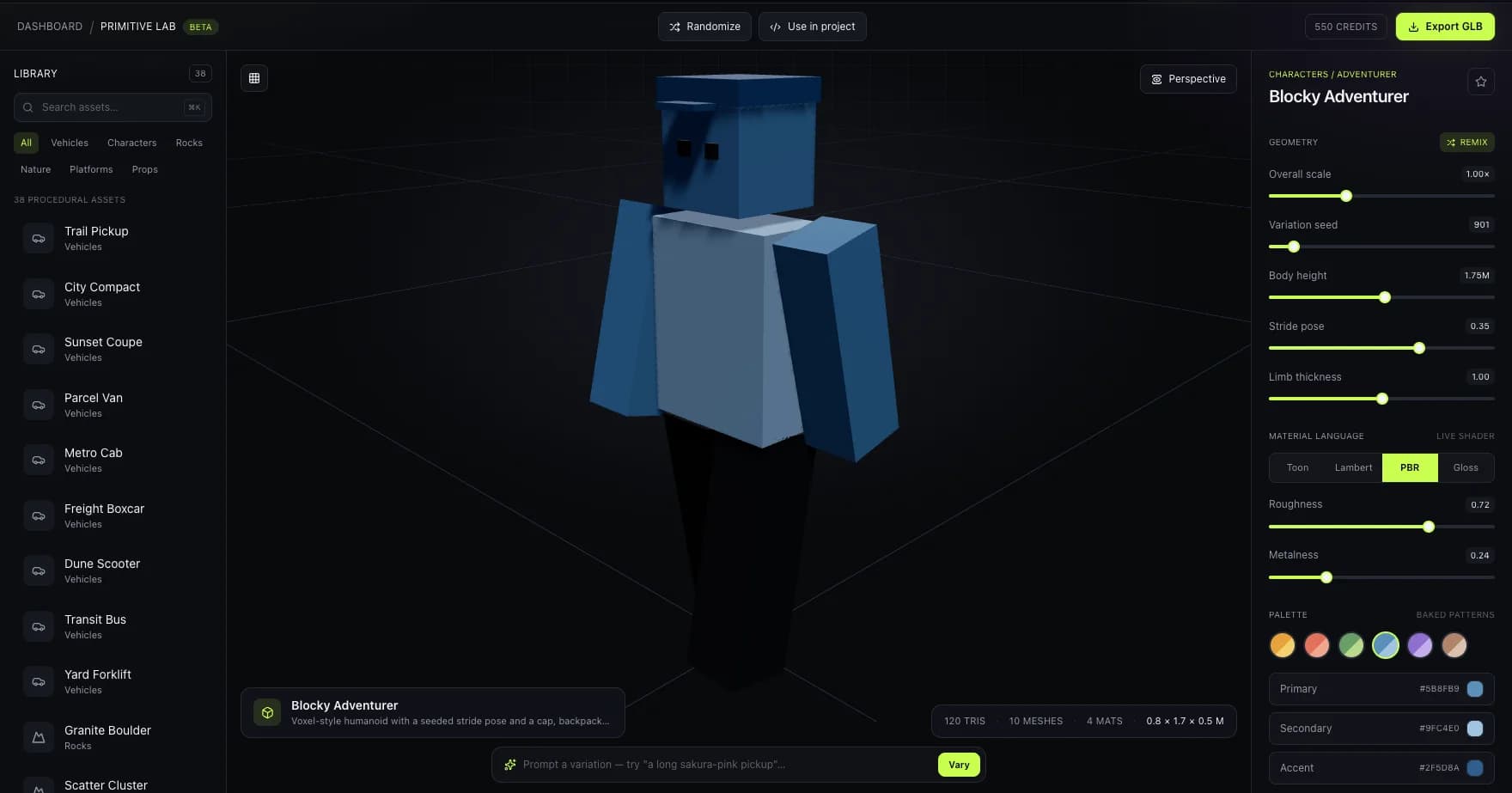
Humanoid silhouette checks
A live character capture showing the limb spacing and readable proportions that matter before a humanoid skeleton is applied.
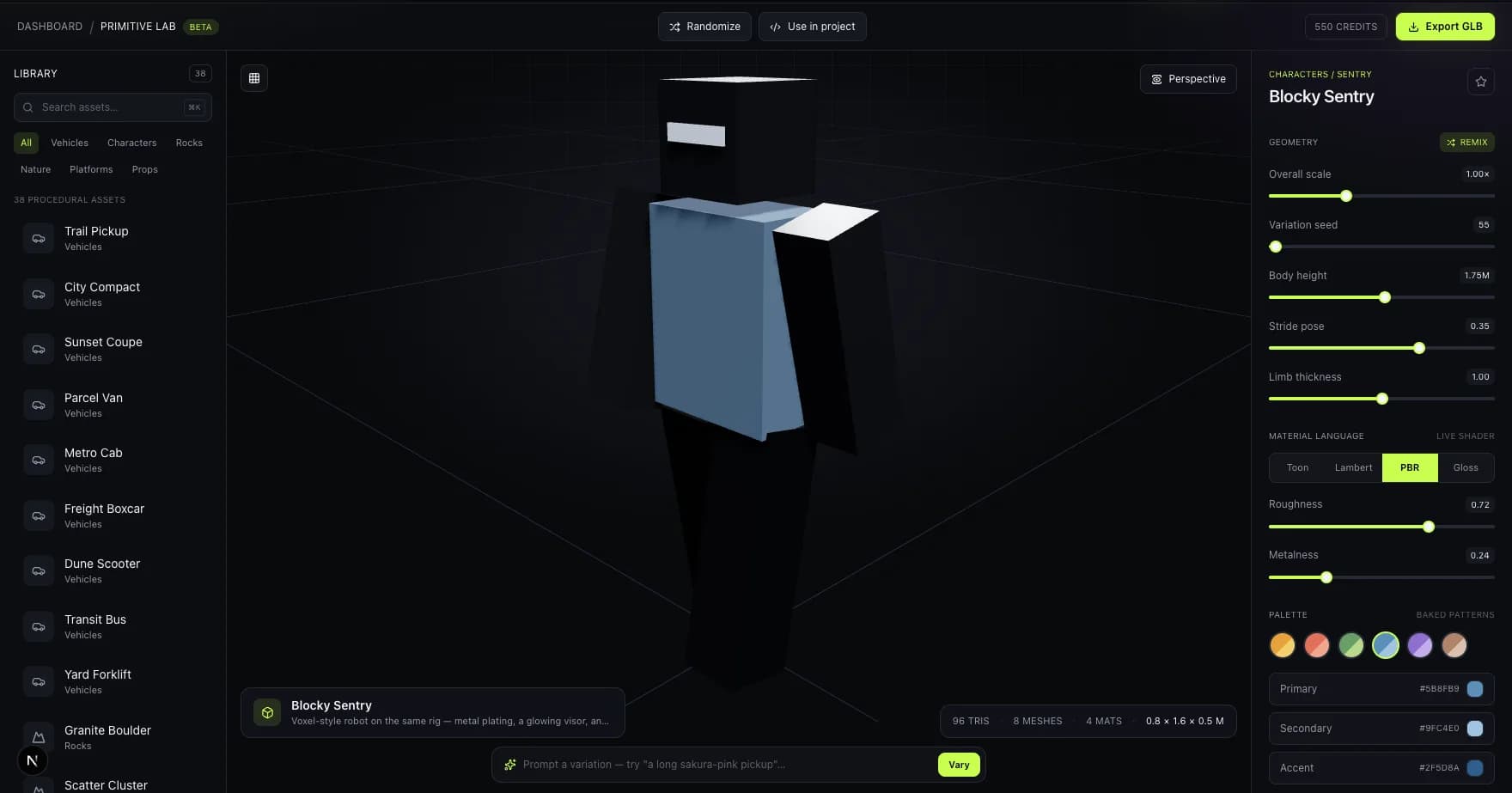
Rigid character and robot use cases
A second live character form for testing pivots, stance, and deformation expectations before animation handoff.
Image mapping note: the captures show source character meshes in Primitive Lab. They do not fabricate a skeleton overlay or claim that the visible meshes have already passed through auto-rigging.
who it's for
For anyone who needs a posable character, not a rigging tutorial
NPC and enemy variety
Rig a dozen enemy variants without hand-weighting each one — reuse your existing animation set across all of them via retargeting.
VTuber and avatar bases
Turn a character sketch or reference photo into a rigged base mesh, ready for further rigging refinement or straight into a pose test.
Prototyping combat and traversal
Get a posable skeleton fast enough to block out animation-driven gameplay before locking the final character art.
pricing
Auto-rig is included, not upsold
Monthly plans from $9/mo for 100credits. Rigging a generated character doesn't cost extra credits beyond the generation itself.
faq
Questions, answered
What does auto-rigging actually do?
It places a skeleton inside a 3D mesh and calculates which vertices move with which bones (skinning), automatically — the same end result as manual rigging, without placing bones or painting weights by hand.
Does auto-rig work on non-humanoid characters?
bunpav applies both humanoid and creature skeleton templates depending on the mesh. Highly asymmetric or unusual creature anatomy is the case most likely to need a manual weighting pass afterward.
Can I reuse my existing animations on an auto-rigged character?
Yes, via retargeting — Unity's Humanoid Avatar system and Unreal's IK Retargeter both let you drive a new skeleton with animations authored for a different one, as long as the rig follows a standard humanoid hierarchy.
When should I manually fix an auto-rigged mesh?
Check hero characters under close camera, cloth or hair that needs secondary motion, and any joint that looks pinched or stretched when posed. Background NPCs and prototypes are usually fine as-is.
What formats keep the rig intact on export?
FBX and GLB both carry skeleton and skinning data. OBJ does not support rigging, so use it only for static, unrigged meshes.
go deeper