Text to 3D
A text to 3D model generator that skips the modeling software entirely
Describe an object — a prop, a creature, a weapon — and bunpav returns a textured, game-ready mesh with UVs already unwrapped. No box modeling, no retopology pass, no third render that ruins your evening.
how it works
From prompt to importable mesh in four steps
1. Describe the object
Write what you need in plain language — "a battle-worn steel gauntlet with a cracked knuckle plate." Specific materials, wear, and silhouette cues produce cleaner results than vague prompts like "cool sword."
2. bunpav builds geometry, UVs, and texture
The generator produces a mesh with unwrapped UVs and a matching texture in one pass — you get back a real, editable asset, not a locked preview render.
3. Check the mesh before you commit
Look at poly count, UV seams, and pivot placement. Most first-pass results are usable as-is for props; hero characters may need a manual touch-up on hands, joints, or fine details.
4. Export and drop it into your engine
Pick GLB, FBX, OBJ, USDZ, or STL. GLB is the safest default for Unity, Unreal, and Blender; USDZ is for Apple AR Quick Look; STL is for 3D printing.
the asset handoff
A real browser workflow for reviewing game-ready meshes
Text-to-3D is in private beta. These current bunpav studio captures show the inspection and export environment around the generated asset: viewport, dimensions, triangle count, materials, and geometry controls.
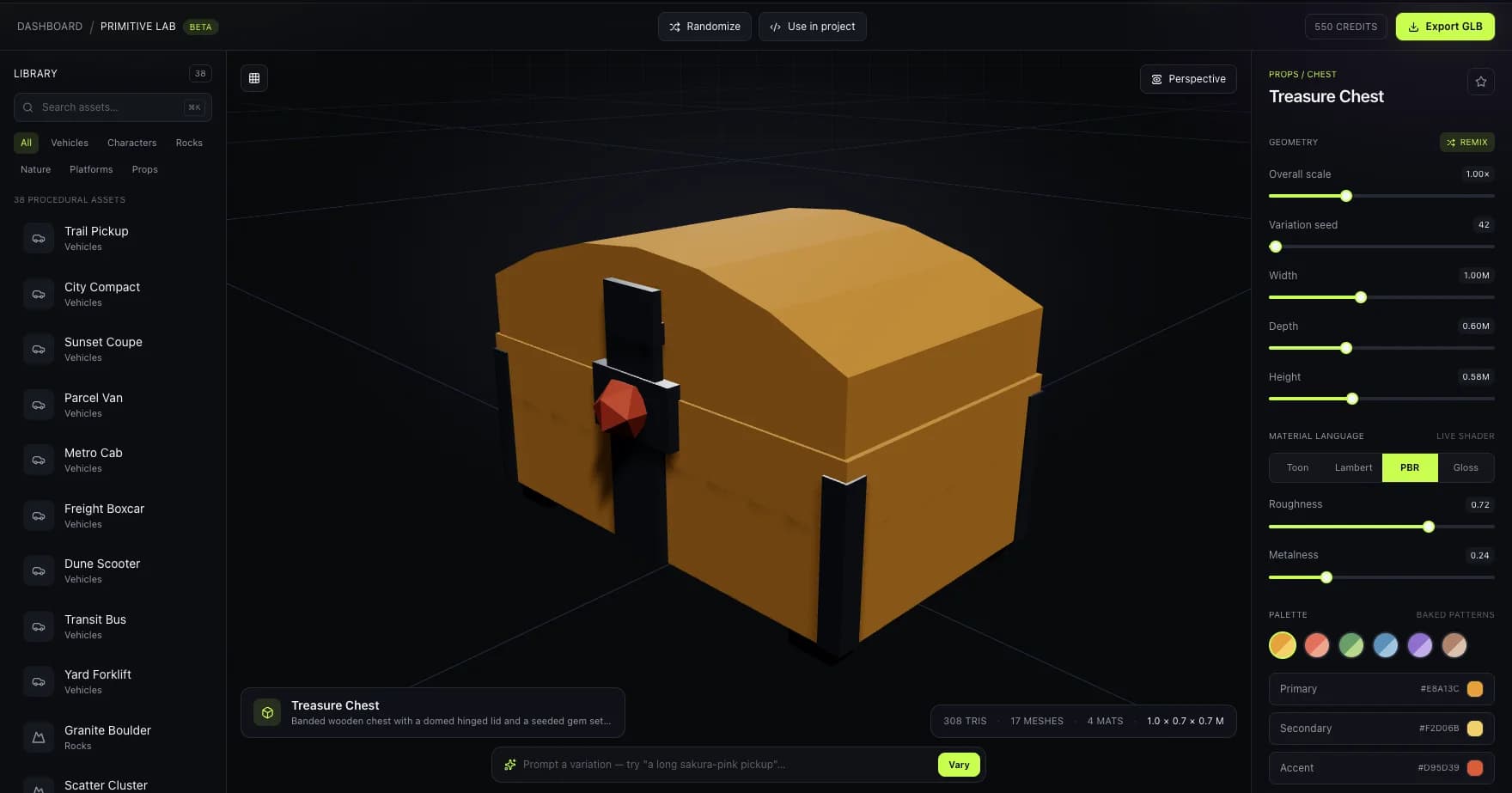
Inspect the asset in a browser studio
A real Primitive Lab capture showing the kind of downstream mesh inspection and proportion checks used before export.
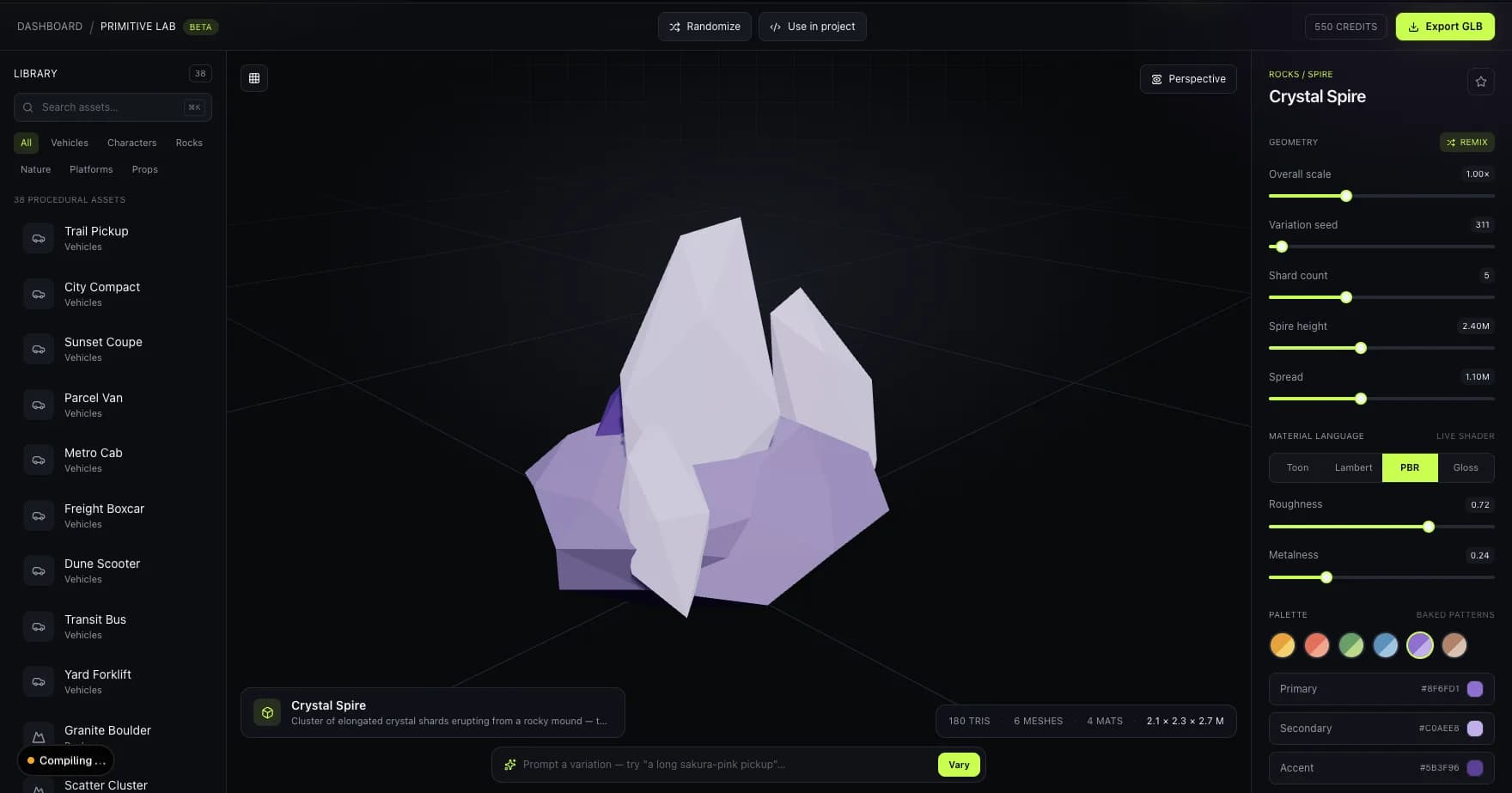
Check silhouette, scale, and triangle count
The live viewport reports dimensions and mesh complexity so a generated or procedural asset can be evaluated before engine import.
Image mapping note: these are live Primitive Lab captures used to document the downstream studio workflow; they are not presented as text-to-3D generation results.
who it's for
Built for teams that need an asset, not a modeling career
Game jams
Generate a batch of props and enemies in the first few hours instead of spending your whole weekend modeling a barrel.
Prop and prototype libraries
Fill out a greybox level with real, textured geometry before you commit art budget to hero assets.
Concept iteration
Test five variations of a weapon or creature silhouette in the time it would take to block out one in a DCC tool.
pricing
Buy credits once, generate whenever
Monthly plans — spend credits per generation, starting at $9/mo for 100 credits.
Prompt-to-mesh output includes UVs and a texture on every generation. Auto-rig is available for humanoid and creature meshes, and every model exports to GLB, FBX, OBJ, USDZ, or STL.
faq
Questions, answered
How does text-to-3D generation actually work?
You describe an object in plain language and bunpav generates a mesh with UVs and a texture that matches the description — a single pass that would otherwise mean modeling, unwrapping, and texturing by hand. The output is a standard, editable mesh, not a locked file or a render.
What makes a good text-to-3D prompt?
Name the object, its material, and specific wear or detail — "a rusted iron lantern with a cracked glass pane" outperforms "old lantern." Concrete nouns and materials give the generator more to work with than mood words like "epic" or "cool."
Can I use a text-to-3D model in a commercial game?
Yes. Models you generate on a paid credit balance are yours to use in commercial projects, including shipped games and sold assets.
What file formats does the text-to-3D generator export?
GLB, FBX, OBJ, USDZ, and STL — covering Unity and Unreal, Blender and Maya, Apple AR previews, and 3D printing.
Does a generated model need cleanup before it's game-ready?
Most props are usable straight out of export. Characters with fine joints, hands, or mechanical hinges benefit from a manual pass — treat the first result as a strong first draft, not always a final asset.
go deeper