Image to 3D
An image to 3D converter that reconstructs a full mesh from one photo
Drop a product shot or a concept sketch. bunpav reconstructs geometry, UVs, and material from a single frame — no photogrammetry rig, no turntable video.
how it works
From one photo to an importable mesh
1. Upload a clean reference photo
Even lighting, a plain background, and a three-quarter angle that shows depth all reconstruct better than a flat, front-on shot with harsh shadows.
2. bunpav reconstructs geometry from the frame
The converter infers depth and fills in unseen surfaces to build a full mesh, then unwraps UVs and projects a texture from the source image.
3. Review the back and the edges
The camera never saw the back of the object — that's where the model is guessing. Check occluded surfaces before treating the result as final.
4. Export to your pipeline
GLB for Unity, Unreal, and Blender; FBX or OBJ for other DCC tools; USDZ for Apple AR Quick Look; STL if you're printing the object physically.
the asset handoff
Review the full object, not only the source angle
Image-to-3D is in private beta. These current bunpav studio captures document the downstream review environment where scale, silhouette, mesh complexity, and unseen surfaces are checked before export.
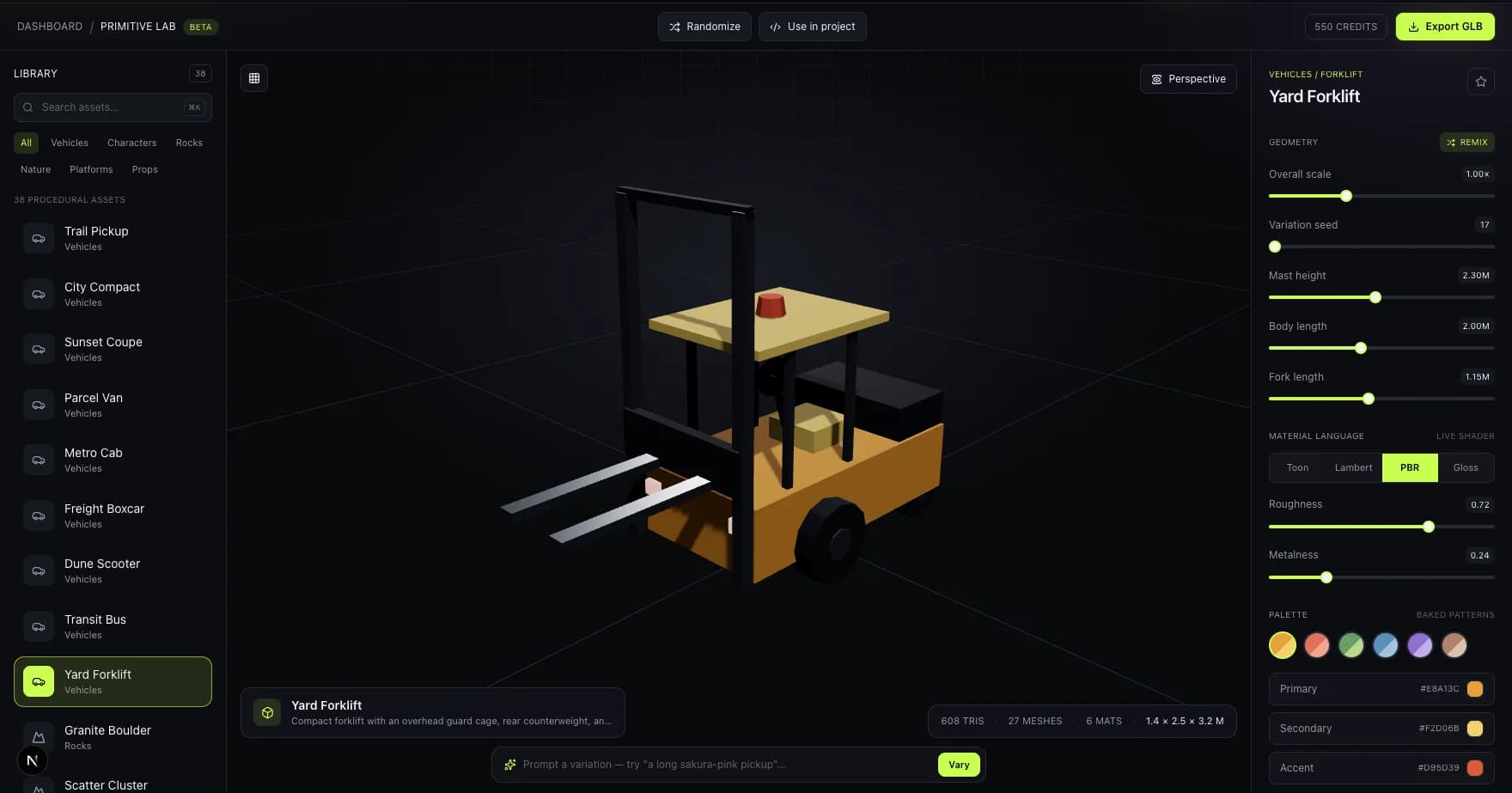
Review reference-sensitive proportions
A current studio capture showing the three-quarter inspection angle useful for checking reconstructed industrial props and vehicles.
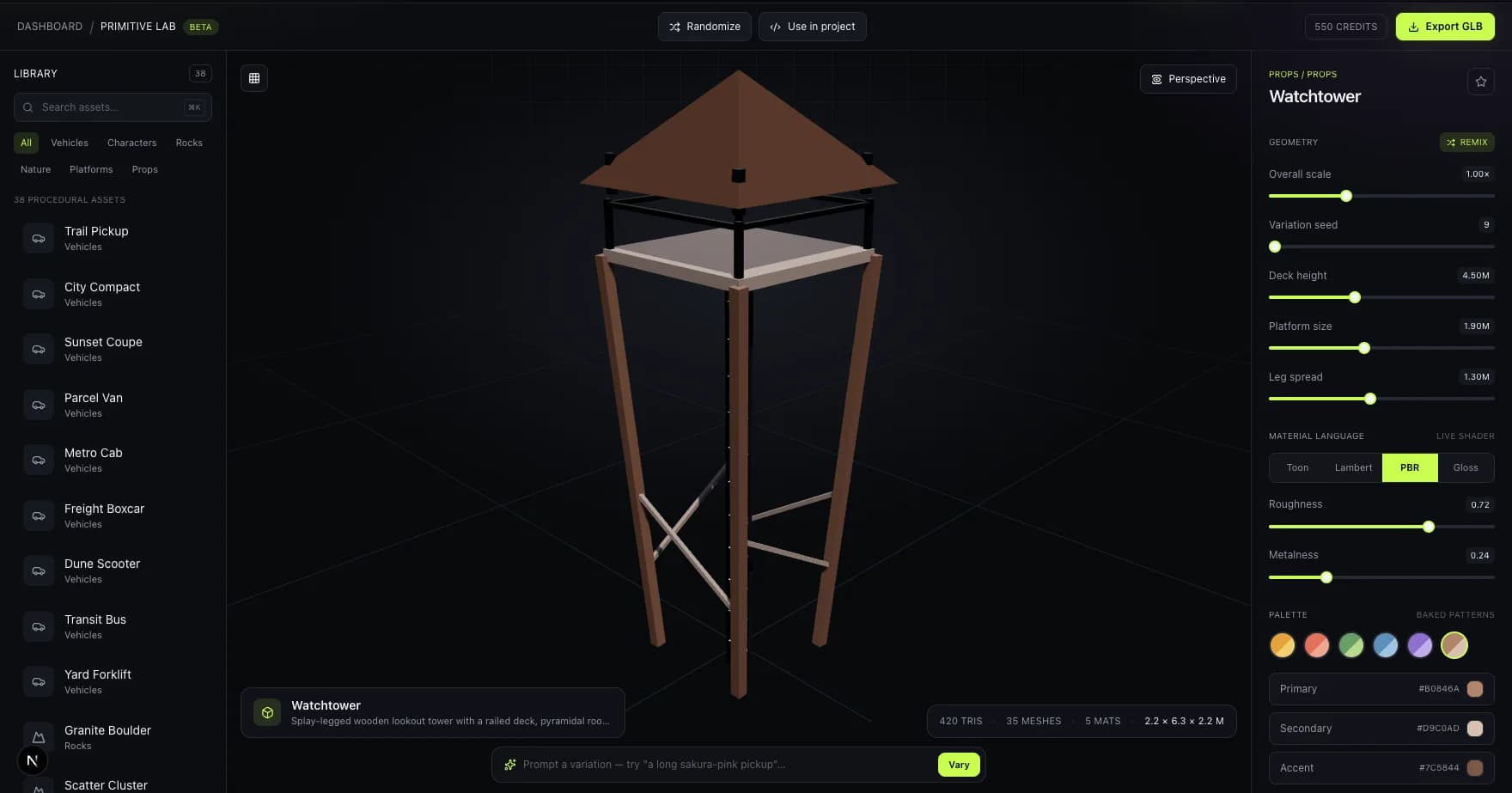
Inspect occluded surfaces before export
Rotating a result in the browser is where teams catch guessed backs, undersides, and edge geometry that a single source image cannot show.
Image mapping note: these are live Primitive Lab captures of the review workflow, not examples claimed to have been reconstructed from photographs.
who it's for
For anyone who has a reference but not a 3D file
Product mockups
Photograph a physical object and get a clean 3D version back for renders, AR previews, or print-on-demand listings.
Concept sketches
Turn a character turnaround or prop sketch into an initial 3D block-in a modeler can refine, instead of starting from a blank viewport.
Reference-accurate props
Recreate a real-world object in-game — a specific chair, tool, or container — without eyeballing proportions from a photo.
pricing
Same credits, same export range as text-to-3D
Monthly plans from $9/mo for 100 credits, shared across both generation modes.
faq
Questions, answered
How does image-to-3D conversion work?
bunpav estimates depth from the photo, infers the geometry the camera couldn't see, and reconstructs a full mesh with UVs and a texture pulled from the source image — all from one frame, no turntable or multi-camera rig required.
What kind of photo works best?
A well-lit, plain-background shot at a three-quarter angle. Avoid harsh shadows, cluttered backgrounds, and pure front-on angles that hide depth cues the reconstruction needs.
Can I convert a concept sketch instead of a photo?
Yes — clean linework with consistent proportions across a turnaround sheet converts well. Heavily rendered or ambiguous shading can confuse depth estimation the same way a bad photo would.
What happens to parts of the object the camera never saw?
The model infers them from context, and that's the least reliable part of any single-image reconstruction. Always check occluded surfaces — the back of a chair, the underside of a prop — before shipping the asset.
What formats can I export the converted model to?
GLB, FBX, OBJ, USDZ, and STL — the same export range as bunpav's text-to-3D generator, covering game engines, DCC tools, AR, and 3D printing.
go deeper