bunpav vs Magic3D
bunpav vs Magic3D: all-in-one studio vs. game-ready focus
Magic3D is a free-forward, all-in-one creative studio spanning 3D, image, and video generation, plus a browser-based format converter — none of it built specifically for games. bunpav stays narrow: prompt or photo to a textured, auto-rigged, game-ready mesh with a wider raw export range, but is still in private beta. Here's the honest breakdown.
quick answers
The short version
Is Magic3D or bunpav better if I need more than 3D generation?
Magic3D — it's a genuinely all-in-one creative studio spanning 3D, image, and video generation plus a client-side format converter tool, none of it specific to games. bunpav stays narrowly focused on turning a prompt or photo into a textured, auto-rigged, game-ready mesh.
Which one is free to try today?
Magic3D, without question — 100 free credits with no credit card required, usable right now. bunpav gives every account welcome credits too, but the product itself is still gated behind a private-beta waitlist.
Does Magic3D export the same formats as bunpav?
No. Magic3D's documented exports are GLB and STL plus 4K images — no FBX, OBJ, or USDZ mentioned. bunpav exports five formats (GLB, FBX, OBJ, USDZ, STL), which matters if your pipeline needs FBX for a game engine or USDZ for Apple AR Quick Look.
What does Magic3D's format converter do that bunpav doesn't?
It's a standalone browser tool for converting between GLTF, GLB, STL, and OBJ, run client-side via WebAssembly so files never leave your machine. bunpav doesn't ship a general-purpose converter — its export list is fixed to what a generation produces.
side by side
Full comparison
| Dimension | bunpav | Magic3D |
|---|---|---|
| Availability | Private beta, waitlist-gated | Publicly self-serve today |
| Product scope | Focused: text/photo-to-3D game assets with auto-rig | All-in-one studio: 3D, image, and video generation, not game-specific |
| Extra tooling | None beyond generation and auto-rig | Standalone GLTF/GLB/STL/OBJ format converter, runs client-side via WebAssembly |
| Rigging | Auto-rig humanoid/creature skeleton in the same generation pass | Not part of the documented feature set |
| Free tier | Welcome credits; product still waitlist-gated | 100 free credits, no credit card required |
| Generation cost | Credits shared across text-to-3D and image-to-3D | Text-to-3D: 30 credits, image-to-3D: 40 credits, model-upload-to-3D: 30 credits |
| Paid pricing | Prepaid packs: $9/100, $39/550, $89/1,500 credits, no subscription | Plans from $19.90/month, unlocks commercial rights; one-time credit purchases don't expire |
| Export formats | GLB, FBX, OBJ, USDZ, STL | GLB, STL, plus 4K images — no FBX, OBJ, or USDZ in documented exports |
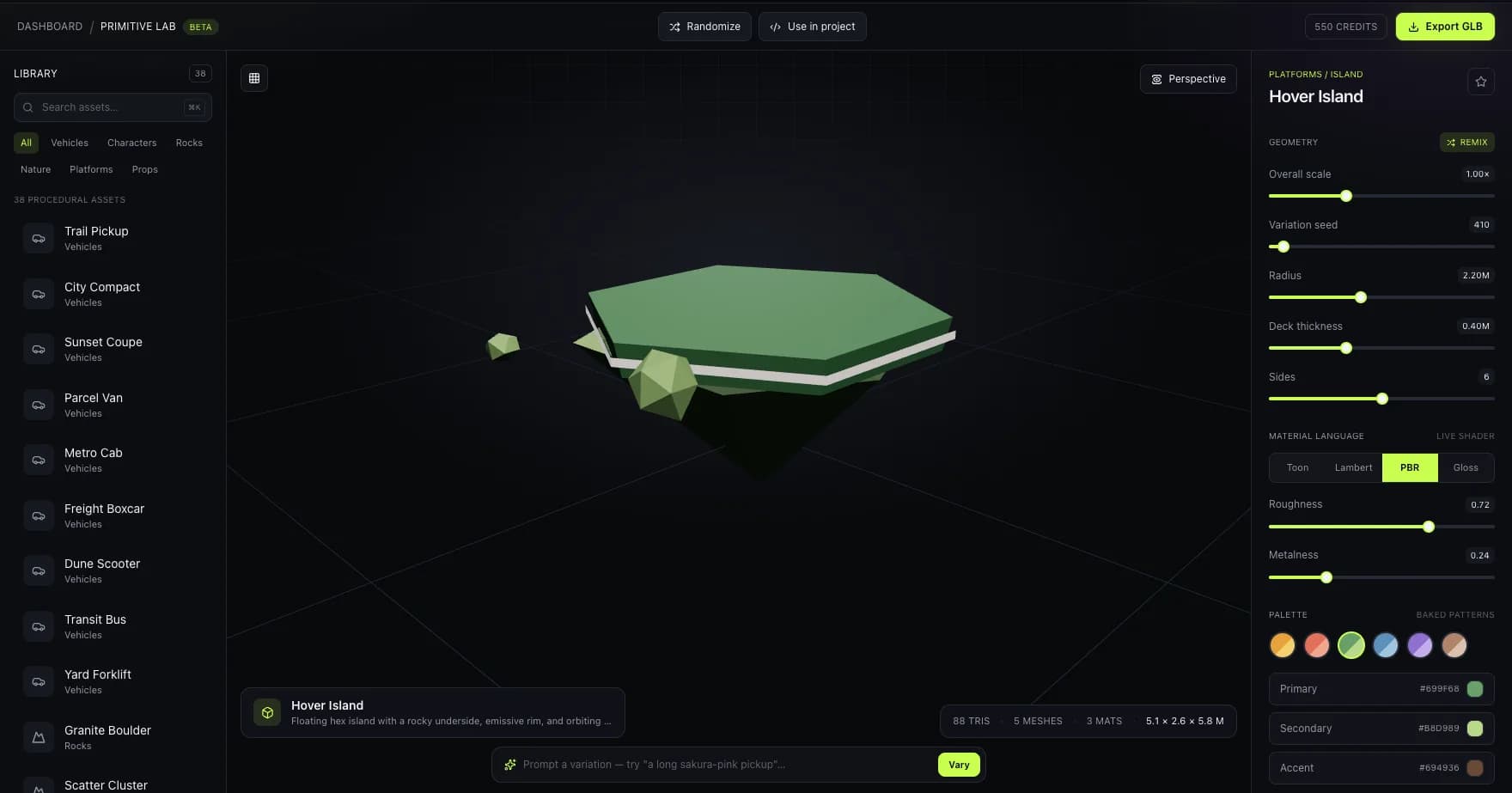
A real Primitive Lab capture of a scene-scale composition — useful context next to Magic3D's broader creative studio spanning 3D, image, and video.
where bunpav wins
A wider export range for game pipelines
GLB, FBX, OBJ, USDZ, and STL cover Unity/Unreal import (FBX), 3D printing (STL), and Apple AR (USDZ) — formats Magic3D's documented export list doesn't mention.
Auto-rig built into the generation pass
A humanoid or creature skeleton comes out in the same pass as the mesh, which matters if the asset needs to move — Magic3D's feature set doesn't cover rigging.
where Magic3D wins
One tool for 3D, image, and video
If your project needs more than meshes — concept art, video clips, general 3D work — Magic3D's all-in-one studio avoids juggling separate subscriptions for each.
Free to start, no card, no waitlist
100 free credits and instant access today. bunpav's private beta means real usage still depends on a waitlist invite.
who should pick which
Match the tool to the job
Pick Magic3D if
You want one browser tool for 3D, image, and video generation, need a free no-card-required entry point today, and don't need FBX or USDZ export.
Join the bunpav waitlist if
You need an asset that's rigged and export-ready for a specific game engine or AR flow, want FBX/USDZ alongside GLB, and can wait on beta access to open up.
faq
Questions, answered
What is the main difference between Magic3D and bunpav?
Magic3D is a broad, publicly-available creative studio spanning 3D, image, and video generation plus a standalone format converter, aimed at general creative work. bunpav is narrower and game-focused — prompt-or-photo-to-mesh with auto-rig in the same pass and a wider raw export range — but is still in private beta.
Can I use Magic3D's free tier for a real game asset?
You can generate one, but check Magic3D's current terms on commercial rights before shipping — its documentation ties commercial rights to paid plans starting at $19.90/month, so free-tier output may not be cleared for a commercial release.
Does bunpav have a format converter like Magic3D's?
No. Magic3D ships a standalone, client-side WebAssembly tool for converting between GLTF, GLB, STL, and OBJ independent of generation. bunpav doesn't offer a general-purpose converter — you get the formats a generation exports (GLB, FBX, OBJ, USDZ, STL) and nothing beyond that.
Which tool has more export formats for a game engine?
bunpav, on paper — its five formats include FBX and OBJ, both common game-engine import formats, plus USDZ for Apple AR. Magic3D's documented exports list GLB and STL only, so if you need FBX specifically, verify Magic3D's current format support before committing.
Is bunpav available to sign up for right now like Magic3D?
Not yet. bunpav is in private beta behind a waitlist at bunpav.com. Magic3D is publicly self-serve with a no-card-required free tier today — a real, current gap if you need a tool this week.
go deeper