step 01
Describe the game
Open Game Forge, name a project, and write what you want — genre, controls, mood, pacing. Attach an article or screenshot as loose inspiration if you have one.
Game Forge · limited beta
Describe the game in chat, get a playable build, play it in the preview pane, then keep refining with follow-up messages — no engine install required.
prompt to playable
step 01
Open Game Forge, name a project, and write what you want — genre, controls, mood, pacing. Attach an article or screenshot as loose inspiration if you have one.
step 02
Each send costs 5 credits and returns a playable browser game — no build step or engine install.
step 03
The live iframe reloads after every generation. Use keyboard, mouse, or touch inside the sandboxed preview, or open the game in a new tab for fullscreen play.
step 04
Follow-up chat messages patch the existing game in place. Flip the project public to get a /play link anyone can open, with scores tracked on a simple leaderboard.
real Game Forge screenshots
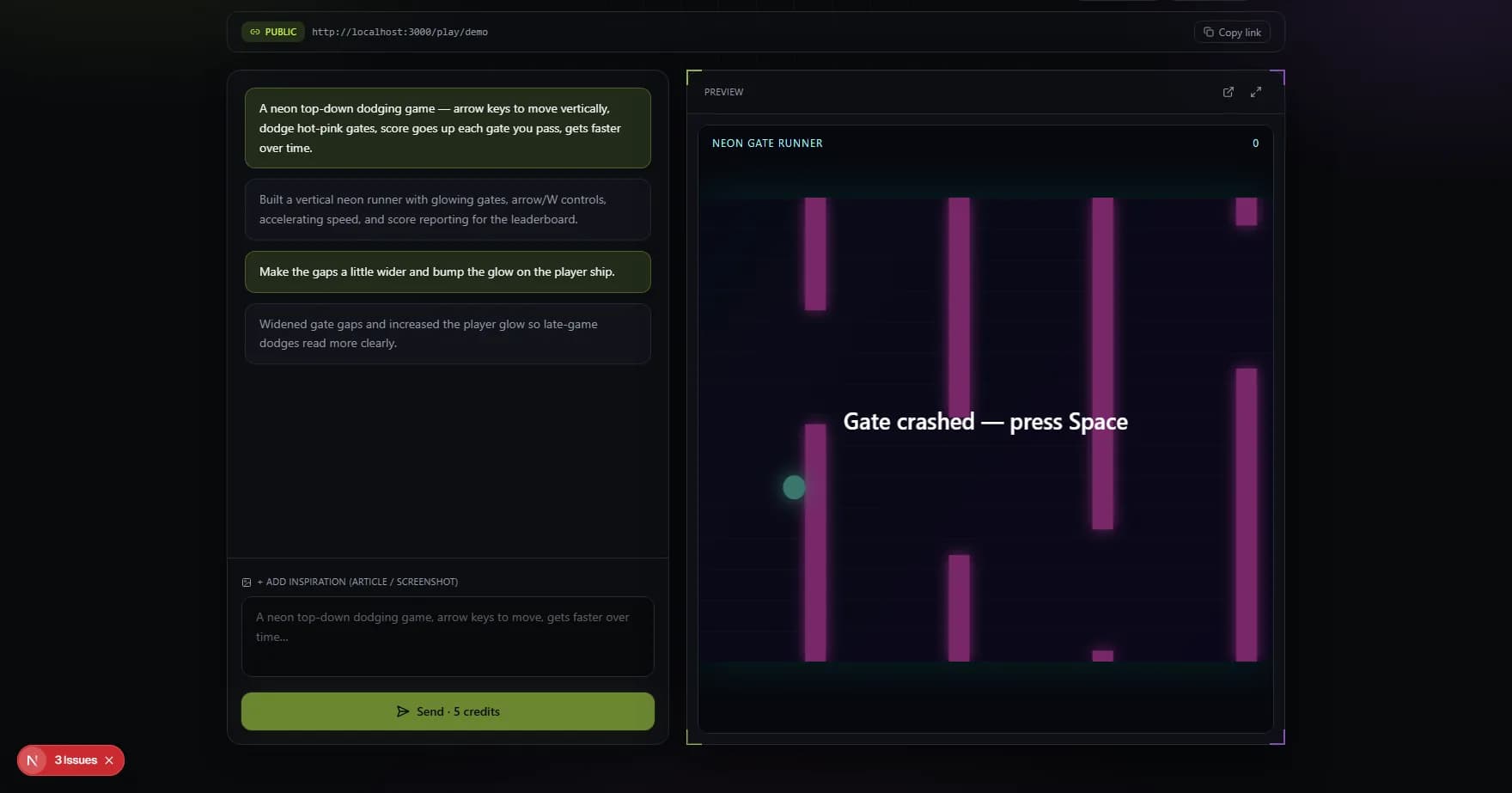
Both captures come from the live Game Forge beta — cropped to the product workspace. The editor shot shows chat iteration with a playable neon runner; the home shot shows how projects are organized.
Chat on the left, playable preview on the right
A real capture from Game Forge: describe mechanics in chat, then play the generated build immediately without leaving the workspace.
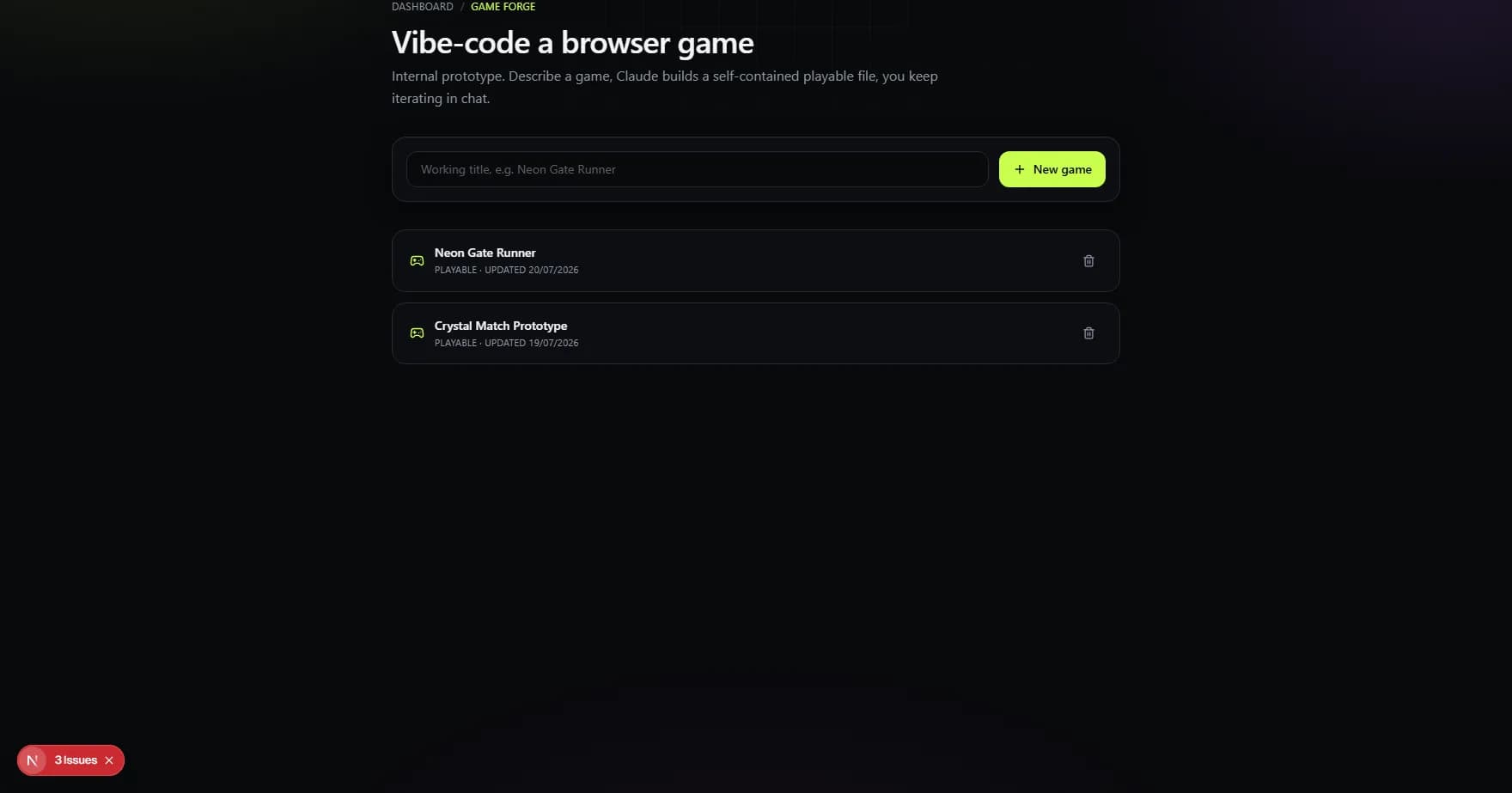
Your generated games in one library
Every project stays in your account — reopen any game, keep iterating in chat, or delete drafts you no longer need.
built for iteration
Game Forge is not a one-shot toy generator. Each follow-up updates the game you already have — widen gaps, add double jump, change the palette — so you stay in the same project instead of starting from scratch every time.
where it fits
Turn a one-line mechanic pitch into something you can actually play in minutes, then iterate on feel before art or level design hardens.
Compare dodge timing, scoring rules, or control schemes through follow-up messages instead of rewriting prototype code by hand.
Show students or teammates how a playable browser game comes together — generate, play, and refine in one workspace.
go deeper
browser game generator faq
It is a tool that turns natural-language instructions into a playable browser game. bunpav Game Forge generates the game from your description, then lets you refine it through follow-up chat messages.
Game Lab (procedural game generator) builds deterministic levels from fixed templates, seeds, and rule sliders. Game Forge is chat-driven: you describe or edit a unique game, and each generation produces a custom playable build. Use Game Lab for reproducible kit-based prototypes; use Game Forge when you want bespoke mechanics.
Yes. Each successful generation loads in the live preview pane. You can play with keyboard or pointer input, open it in a new tab, and share a public /play link when you're ready.
Game Forge charges 5 credits per send — including the first build and every follow-up edit. Your balance is shown in the editor header.
Yes. Toggle a project to Public and copy the /play link. Players can run the game in their browser; scores post back to a lightweight leaderboard on the project.
Game Forge is in a limited beta for signed-in bunpav accounts. Sign in to check access, or join the waitlist on the homepage if the tool is not yet enabled for your account.