Primitive Lab · live in beta
A photo in, procedural Three.js code out
Upload a reference image and bunpav reconstructs the object as a parametric part tree — the same code-driven format every Primitive Lab asset uses. Sliders, palettes, and GLB export included, not a static mesh file.
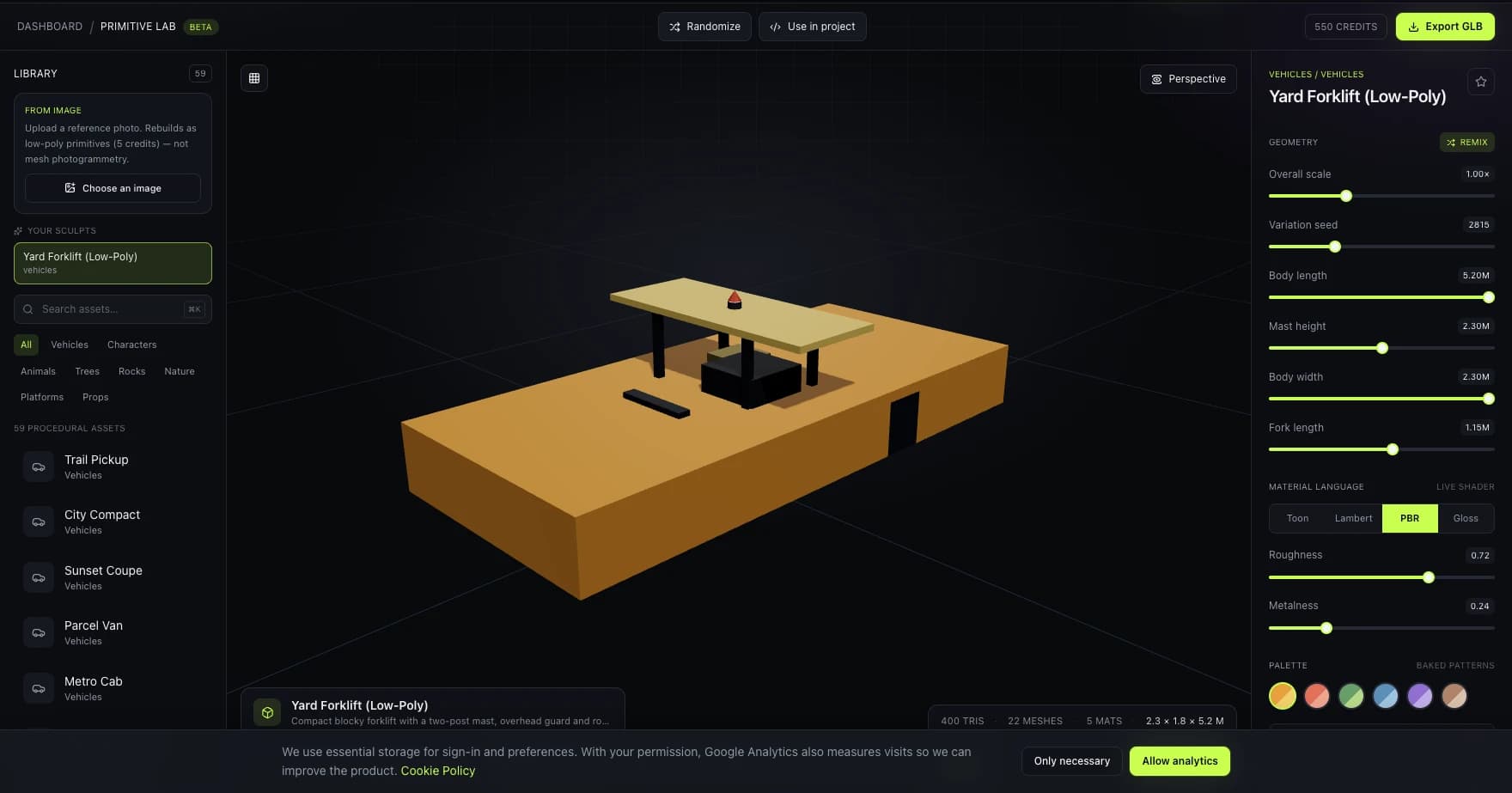
how it works
From reference photo to editable geometry in four steps
1. Upload a reference photo
A prop, vehicle, or hard-surface object shot with even lighting and a clear silhouette reconstructs best — PNG, JPEG, or WEBP, up to 4 MB.
2. A vision model rebuilds it as a part tree
The reference image is decomposed into primitive shapes — boxes, cylinders, cones — each tagged with a palette role and connected to its parent, not a raw mesh export.
3. It lands directly in Primitive Lab, as code
The result is the same parametric IR every built-in Primitive Lab asset uses — instantly playable with sliders, materials, and palettes, right next to the 61-asset library.
4. Tune it, then export
Adjust the 2–4 generated sliders to retune the silhouette, swap palettes or materials, then export a pivot-correct, ground-resting GLB — or copy the GLTFLoader snippet.
Reconstruction by code, not photogrammetry
This isn't a mesh-from-photo pipeline. The vision model infers a hierarchy of primitive parts and their roles, and that structure gets interpreted by the same deterministic geometry builder that powers every hand-authored asset in the library.
Sliders come out the other side
The model is asked for 2–4 numeric parameters that meaningfully retune the silhouette — width, height, a spire radius — so the result isn't a static import, it's an editable parametric object from the first frame.
Unseen backs are inferred, and it says so
A single photo never reveals the far side of an object. The reconstruction mirrors visible structure to fill it in and flags the result as stylized rather than pretending at certainty it doesn't have.
Palette-role materials, same as the library
Every generated part is tagged primary, secondary, accent, dark, glass, or metal instead of a hardcoded color — so a palette swap or custom hex recolors the reconstruction exactly like any built-in asset.
real reconstructions
Two real photos, rebuilt as procedural geometry
Not mockups — these are actual reconstructions produced by uploading a reference image to Primitive Lab.
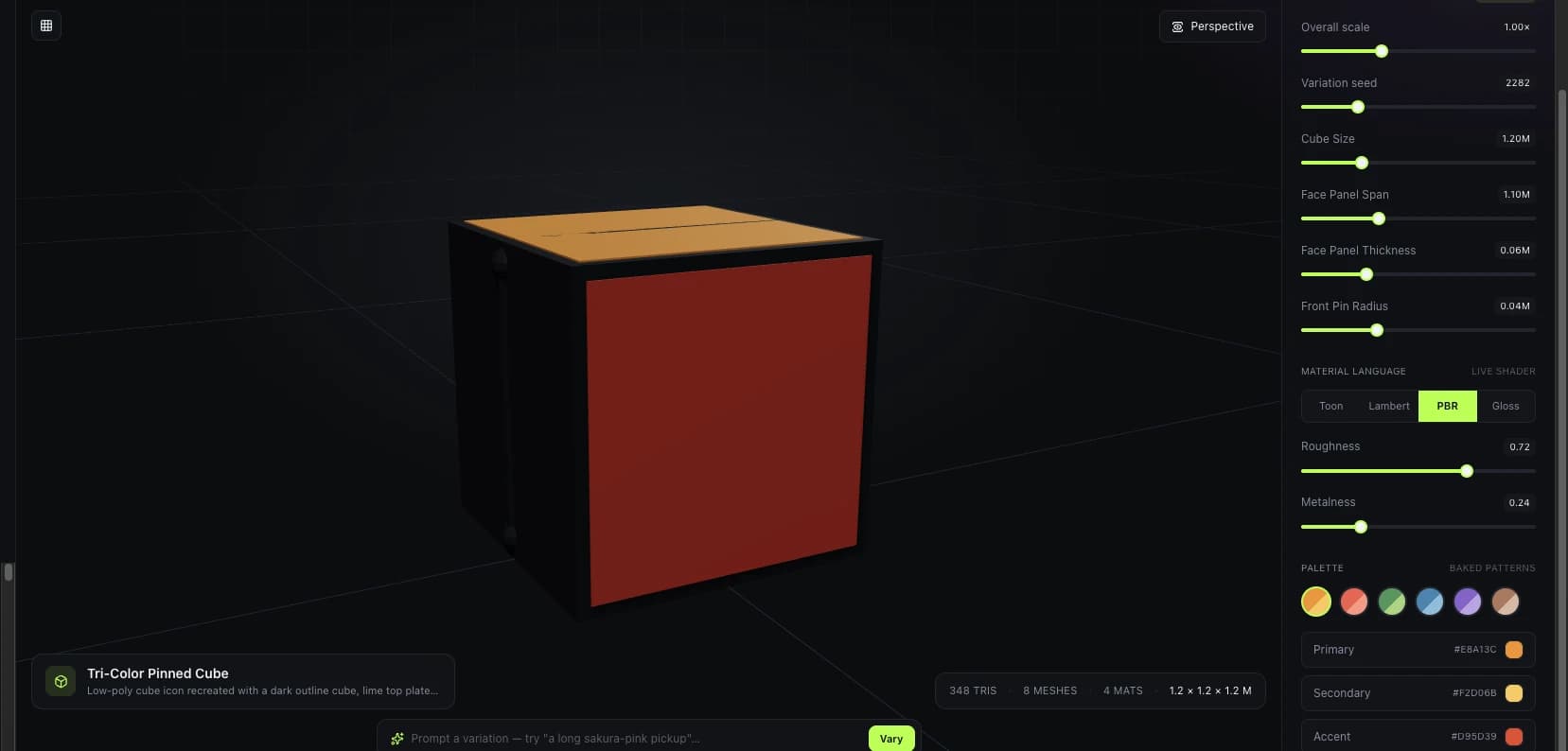
Flat logo → 3D emblem
A flat brand mark reinterpreted as a thick, stylized badge object — not a flat plane extrusion.
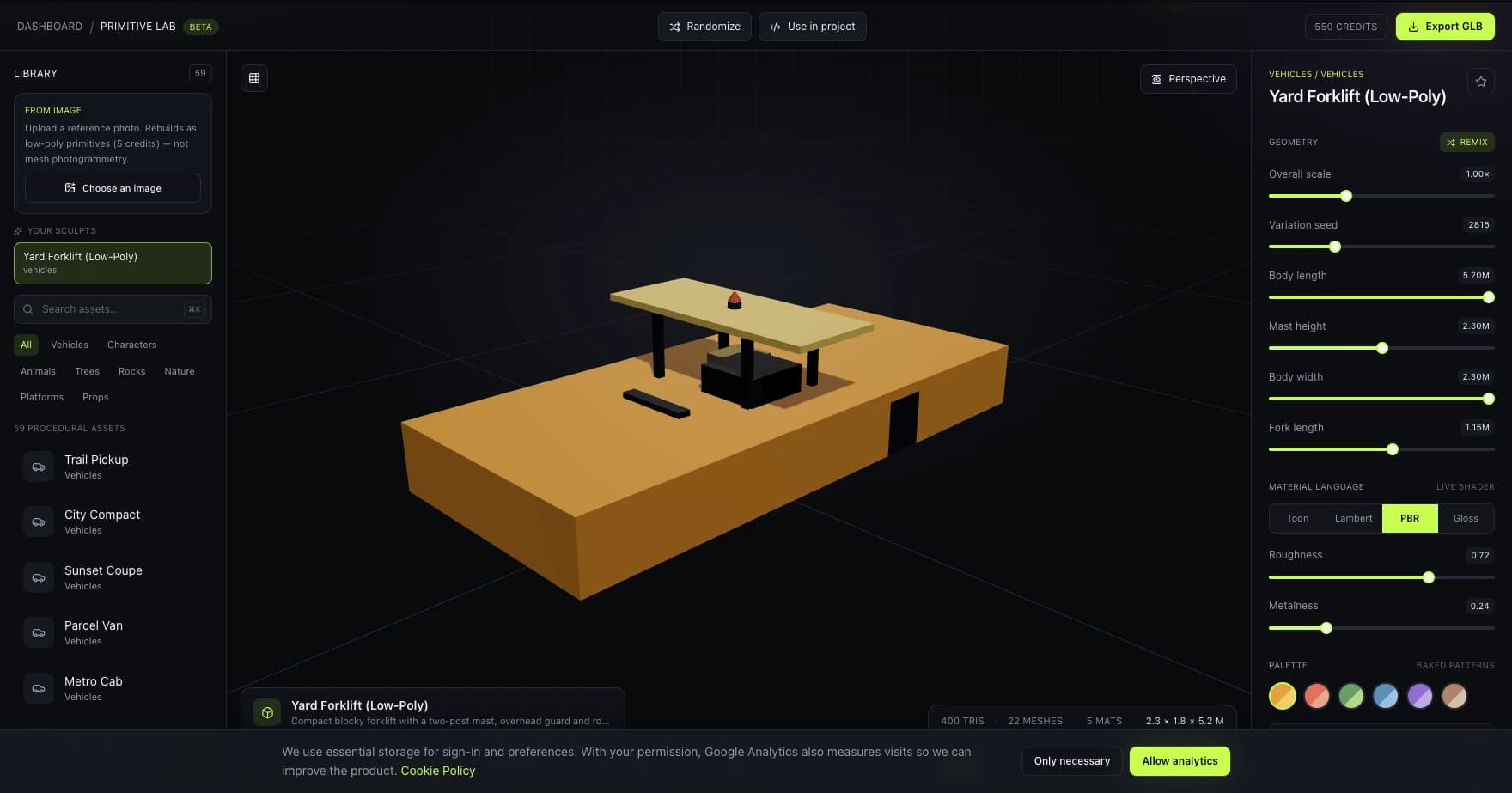
Reference photo → editable vehicle
A yard forklift photo rebuilt with body length, width, and mast height exposed as live sliders.
Every reconstruction can misjudge occluded geometry — the model infers what a single frame can't show. Review the back and edges before treating a result as final.
who it’s for
For starting from a reference instead of a blank scene
Reference-driven prop creation
Photograph a real prop, tool, or vehicle on set or on location and get a game-ready starting point in the same session — no manual modeling pass.
Concept sketches to playable geometry
A rough concept sketch or moodboard image is enough to seed a shape — refine proportions with sliders afterward rather than starting from a blank scene.
Stylized character silhouettes
Human and creature references come back as blocky, stylized busts and figures — likeness-inspired, never a literal face copy.
Fast library extension
Turn a one-off reference into a reusable, seeded, parametric asset that lives alongside the built-in library and behaves exactly the same way.
Team reference libraries
A reconstructed asset is stored to your account like any sculpt — reopen it from Primitive Lab's sculpt history without re-uploading the source photo.
which tool to use
Image to Three.js vs. bunpav’s Image to 3D
Both start from a photo — they trade off differently between fidelity and editability.
| Feature | Image to Three.js | Image to 3D |
|---|---|---|
| Output | Parametric part tree — code, with sliders | Textured mesh with UVs |
| Texture fidelity | Palette-role materials, not source-image texture | Projects the source photo's texture |
| After generation | Fully editable — retune sliders, swap palette | Fixed mesh — re-generate to change it |
| Best for | Props, vehicles, level-kit objects you'll tune | Hero assets where source texture matters |
| Cost | 15 credits | Higher — mesh + texture generation |
faq
Questions, answered
Does this generate a mesh file, like photogrammetry?
No — it generates a parametric part tree, the same intermediate representation every built-in Primitive Lab asset is described with. The result is procedural geometry with sliders, not a fixed downloaded mesh, though you can still export it to a static GLB whenever you want a file.
What kinds of images work best?
Hard-surface objects with a clear silhouette — props, vehicles, structures — reconstruct most reliably. Even lighting, a plain background, and an angle that reveals depth all help. Stylized humanoid and creature references are supported too, rebuilt as blocky figures rather than literal likenesses.
How much does it cost?
15 credits per reconstruction — a vision model call, not a mesh-generation pipeline, so it's priced the same as a Primitive Lab image sculpt rather than the heavier text-to-3D/image-to-3D tier.
What can I export, and does it work in my engine?
One-click binary GLB export, or a ready GLTFLoader code snippet — the same export path as every other Primitive Lab asset. Every result is pivot-correct and rests on the ground plane before export.
How is this different from bunpav's image-to-3D tool?
Image-to-3D reconstructs a textured mesh with UVs from a photo — closer to photogrammetry. This tool reconstructs the object as procedural primitives with editable sliders inside Primitive Lab, trading photorealistic texture fidelity for a parametric, remixable result.
What happens with parts the photo doesn't show?
The model mirrors visible structure to infer the unseen side and marks the result as stylized rather than exact. A single reference image can never guarantee real-world accuracy for occluded geometry — treat the far side as an educated approximation.
explore more
Other things bunpav can generate
go deeper