bunpav vs 3D AI Studio
bunpav vs 3D AI Studio: one model vs. an aggregator
3D AI Studio isn't its own generation model — it's an aggregator that routes each job to a third-party engine you pick from a menu, all behind one shared credit meter. bunpav generates and auto-rigs a mesh through a single dedicated pipeline, but is still in private beta. Here's the honest, dimension-by-dimension breakdown.
quick answers
The short version
Does 3D AI Studio have its own 3D generation model?
No — it's an aggregator, not a model developer. It resells/routes access to multiple third-party AI engines in one interface, letting you pick which underlying model to use per generation. Its own site even publishes head-to-head comparison pages against Meshy, Rodin, Tripo, and others.
Does picking a different underlying model change the cost per generation?
Yes. On 3D AI Studio, image-to-3D and text-to-3D cost 20-60 credits depending on which underlying AI model you select for that generation — all metered through one shared credit balance. bunpav's credits are spent at a flat rate on its own dedicated pipeline.
What does 3D AI Studio actually cost?
Basic $19/mo for 1,000 credits, Studio $29/mo for 3,500 credits, Pro $149/mo for 18,000 credits, plus a one-time pack at $34 for 2,000 credits that never expire. bunpav instead sells prepaid packs with no subscription: Starter $9/100, Studio $39/550, Pro $89/1,500 credits.
Which one exports more file formats?
3D AI Studio, by one format — it supports GLB, OBJ, FBX, STL, USDZ, and PLY (six formats). bunpav covers GLB, FBX, OBJ, USDZ, and STL (five formats) but doesn't currently export PLY.
side by side
Full comparison
| Dimension | bunpav | 3D AI Studio |
|---|---|---|
| Availability | Private beta, waitlist-gated | Publicly self-serve today |
| Underlying model | Proprietary generation and auto-rig pipeline | Aggregator — routes each generation to a chosen third-party engine |
| Per-generation cost | Flat credit cost on bunpav's own pipeline | 20-60 credits, varying by which underlying AI model is selected |
| Bundled utilities | Auto-rig humanoid/creature skeleton in the same generation pass | Texture AI, PBR maps, remeshing, LOD generation, UV unwrapping, vertex color — free on any plan |
| Free tier | Welcome credits on every account; product still waitlist-gated | No stated free tier — one-time $34/2,000-credit pack (never expires) is the entry option |
| Paid pricing | Prepaid packs: $9/100, $39/550, $89/1,500 credits, no subscription | Basic $19/mo (1,000), Studio $29/mo (3,500), Pro $149/mo (18,000 credits) |
| Export formats | GLB, FBX, OBJ, USDZ, STL (5 formats) | GLB, OBJ, FBX, STL, USDZ, PLY (6 formats) |
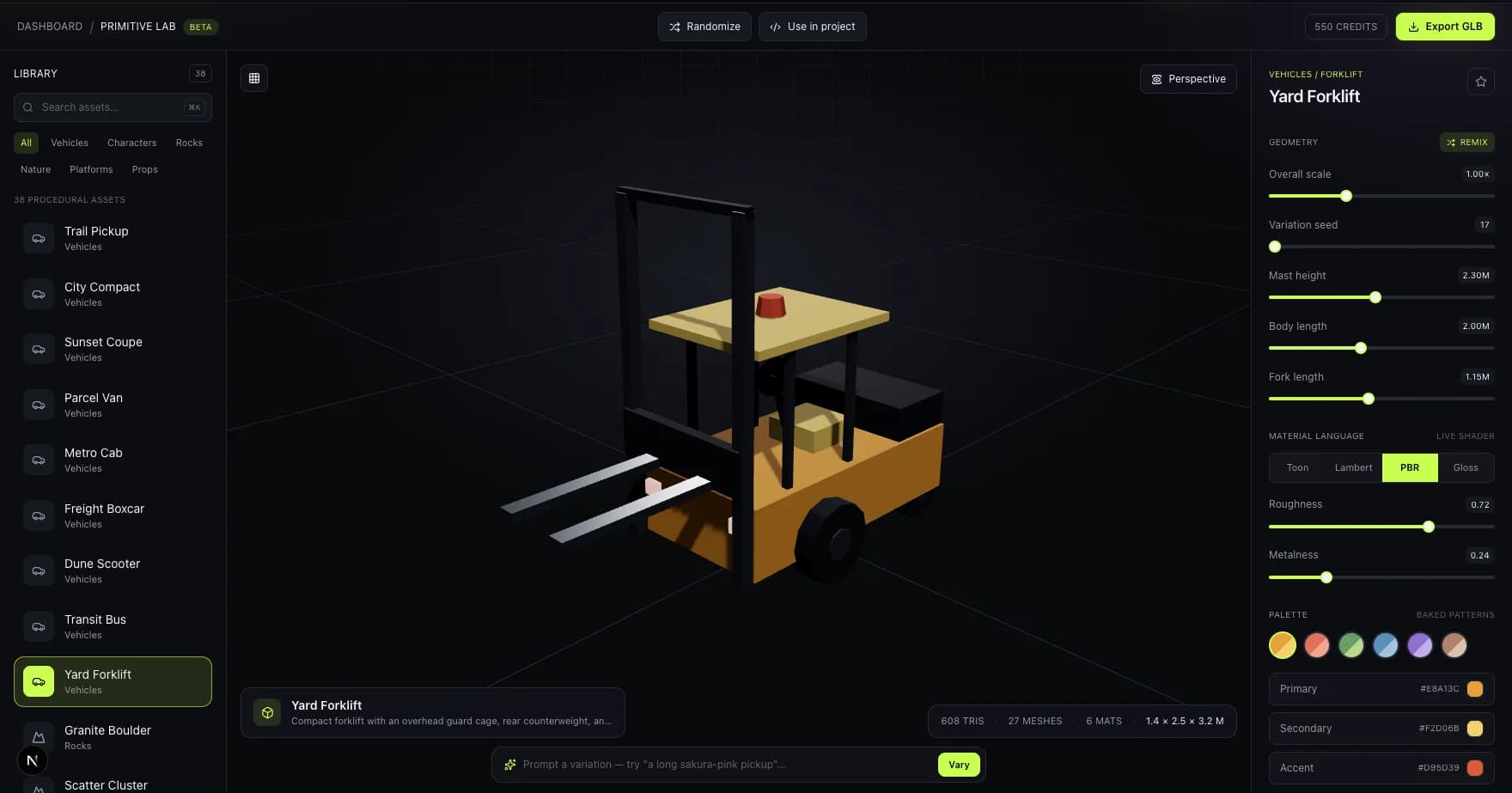
A real capture from bunpav's own single, dedicated generation pipeline — a contrast to 3D AI Studio's model of routing generations across several third-party engines.
where bunpav wins
One dedicated pipeline, one flat cost
bunpav's own generation and auto-rig model has a flat credit cost per generation. 3D AI Studio's per-generation cost swings from 20 to 60 credits depending which underlying engine you pick, which makes budgeting less predictable.
Auto-rig without a menu of models to choose from
Rigging happens automatically in the same generation pass. On an aggregator, quality and rigging support can vary depending which third-party engine you selected for that job.
where 3D AI Studio wins
One more export format
3D AI Studio exports GLB, OBJ, FBX, STL, USDZ, and PLY — six formats to bunpav's five. If you specifically need PLY, that's a real, current advantage worth noting honestly.
Free bundled post-processing utilities
Texture AI, PBR map generation, remeshing, LOD generation, UV unwrapping, and vertex color conversion ship free with any plan — useful if you generate elsewhere and just need cleanup tools, or want to compare outputs across multiple third-party engines in one place.
who should pick which
Match the tool to the job
Pick 3D AI Studio if
You want to compare or route between several third-party 3D engines in one interface, need PLY export, and want free bundled utilities like PBR maps and LOD generation available today.
Join the bunpav waitlist if
You'd rather generate and auto-rig on one dedicated pipeline at a flat credit cost than pick between third-party engines each time, and can wait on beta access.
faq
Questions, answered
What's the core difference between 3D AI Studio and bunpav?
3D AI Studio is an aggregator — it routes your generation to a third-party engine you select (its own site runs head-to-head comparisons against Meshy, Rodin, Tripo, and others), all behind one credit meter. bunpav is a single dedicated pipeline that generates and auto-rigs a mesh from a prompt or photo, but is still in private beta.
Why does 3D AI Studio publish comparisons against Meshy, Rodin, and Tripo on its own site?
Because it isn't competing with them on its own model — it resells access to those and other underlying engines. Publishing those comparisons helps users decide which third-party model to route a given generation through inside 3D AI Studio's interface.
Is 3D AI Studio's variable credit cost (20-60 credits) a real downside?
It's a trade-off, not necessarily a downside — you get to choose cheaper or pricier underlying models per job. But it does mean the true cost of any one generation isn't fixed the way it is with bunpav's own dedicated pipeline, which complicates budgeting for high-volume use.
Which tool exports more file formats?
3D AI Studio, by one — GLB, OBJ, FBX, STL, USDZ, and PLY (six formats) versus bunpav's GLB, FBX, OBJ, USDZ, and STL (five formats, no PLY). If PLY export is a hard requirement, that's a genuine point in 3D AI Studio's favor today.
Can I sign up for bunpav today the way I can with 3D AI Studio?
Not yet. bunpav is in private beta behind a waitlist at bunpav.com. 3D AI Studio is publicly self-serve, including a one-time credit pack with no subscription required — a real, current gap worth knowing before you plan a project timeline around bunpav.
go deeper